
Ragdoll Soccer Beginner Guide: Controls and Scoring
Use this Ragdoll Soccer beginner guide to learn controls, practice low shots and curves, choose a match mode, and redeem WELCOME for 250 coins in Roblox.
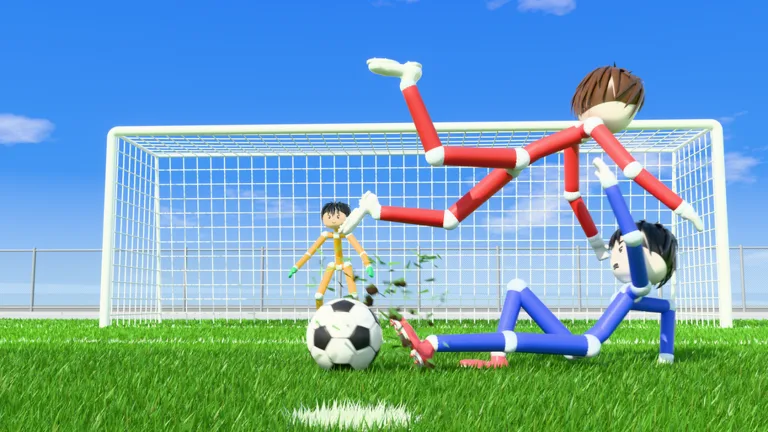
Start With Practice and the PC Controls
A powerful shot is wasted when it sails over the goal. This Ragdoll Soccer beginner guide walks you through the controls, shooting lessons, and match options so you can turn possession into chances. Start with aim and kick strength before adding trickier finishes.
1. Work Through the Practice Lessons
Open Ragdoll Soccer on Roblox, then head to Practice. It includes lessons for moving and sprinting, basic shooting, power shots, curves, and lobs. You can also use free play, shooting drills, and goalkeeper practice.
Begin with movement and shooting basics. Repeat a lesson when your shots keep missing; practice gives you room to adjust without opponents closing you down.
2. Learn These PC Inputs
| Input | Action |
|---|---|
| Left mouse button | Shoot and charge kicks |
| Shift | Sprint |
| Q or E | Apply curve to shots |
| 2 | Select the lob |
| X | Slide tackle |
| G | Call for the ball |
Keep the shooting controls familiar before trying to combine sprinting, charging, and curve. Learn what each input does separately, then put them together in the relevant lesson.
Control Shot Height Before Adding Power
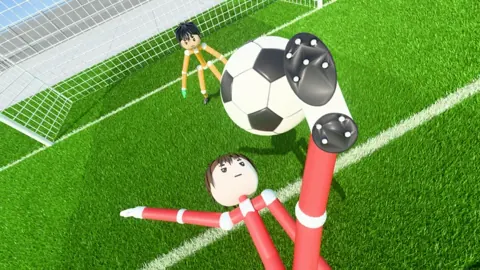
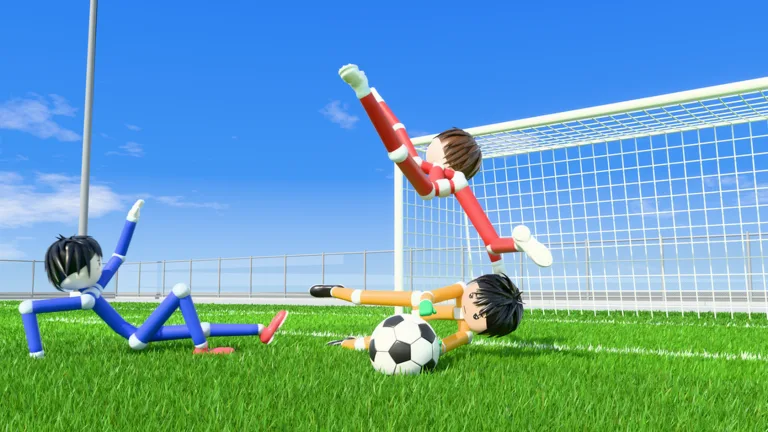 Image: Roblox / Ragdoll Athletics
3. Aim With Your View
Shots travel where you look. Looking down keeps the ball low, while looking up adds height.
Practice low shots first. Aim toward an open part of the goal, then make small changes to your view between attempts. If the ball keeps clearing the crossbar, lower your aim before changing everything else.
For a useful drill, repeat the same shot while changing only your viewing angle. Once you can control the height, experiment with kick strength.
4. Practice Charged Shots With a Run-Up
The power-shot lesson combines sprinting toward the ball with a fully charged kick.
Follow that sequence in Practice: approach the ball at a sprint, charge the shot, and aim through the finish. Repeat until you can coordinate the run-up and kick without losing your target.
Avoid making every attempt a full-power shot. Near goal, practice a lighter finish when you already have a clear opening. Use the charge deliberately rather than automatically.
Add Curve Shots and Lobs
5. Learn Q and E in the Curve Lesson
Curve shots use Q or E alongside the shooting controls. Work through the lesson to learn how each input changes the ball’s path.
Practice one curve input at a time. Aim toward the target, take the shot, and adjust your next attempt based on where it finishes. Keep your starting position consistent while learning the bend.
Save elaborate attempts for situations where you have room to line them up. If the goal is already open, take the simpler finish.
6. Use a Soft Lob Against an Advancing Keeper
Press 2 to select the lob, then tap the left mouse button softly to chip the ball.
Practice this when the goalkeeper comes forward and leaves space behind. Keep the touch light: a chip needs enough height to clear the keeper without flying beyond the goal.
Repeat the lob lesson until you can judge both height and strength. Selecting the right shot type is only part of the finish.
Choose Your Match Mode
7. Move From Practice Into 4v4
Ragdoll Soccer has 4v4 quickplay, 8v8 pro servers, and Clubs mode for queuing into 4v4 with friends.
After practicing your basic shot, enter quickplay and focus on receiving, passing, and getting attempts on target.
Pro servers add referees, penalties, free kicks, throw-ins, VAR, and offsides. Learn the core ball controls before adding those match rules to your workload.
For coordinated games with friends, create a club and invite them. You can also join another club; leave your current club before trying to join a different one.
Make Yourself Useful Without Chasing Every Ball
8. Pass, Then Move Into Space
Use lighter kicks for nearby passes, and aim carefully before sending the ball toward a teammate. If your passes keep overshooting, reduce the charge.
After passing, move into an open lane for the return ball. Use G to call when you have space, rather than asking a teammate to pass through a defender.
When you receive the ball near goal, choose between a clear shot and an open teammate promptly. Extra touches give opponents more time to challenge.
9. Tackle With Support Behind You
Press X for a slide tackle. Pick your challenge carefully instead of sliding at every opponent who approaches.
When a teammate is already contesting possession, cover a nearby passing option or stay between the attack and your goal. Give your team another defensive position instead of crowding the same challenge.
If a shot is saved, watch for the loose ball. Follow the rebound while keeping the goalkeeper and defenders in view.
Claim WELCOME and Explore Customization
10. Redeem the Coin Code
Enter WELCOME to receive 250 Coins:
- Open SHOP.
- Select CODES.
- Type WELCOME in the ENTER CODE box.
- Click REDEEM.
Enter the code exactly as shown, without extra spaces. Codes can expire.
Coins can be used for accessory, hair, mood, and face packs. Explore those options when you want to customize your player, and return to Practice whenever a particular shot or control needs more work.
Continue with
 Ragdoll Soccer Ball Physics: Aim, Curve, and ScoreLearn Ragdoll Soccer ball physics with useful tips for aiming, charged shots, curves, and lobs. Use Practice mode to build control before your next match.
Continue exploring
Ragdoll Soccer 8v8 Pro: Rules, Servers, and Shot Tips
Explore Ragdoll Soccer 8v8 pro servers, learn the match rules, practice shooting controls, and see how private matches work before stepping onto the field.
Ragdoll Soccer Clubs: How to Create and Join a Team
Learn how Ragdoll Soccer clubs work, create a team, invite friends, and join 4v4 matches. Get practical tips for switching clubs and preparing your squad.
Join the community
Official channels for news, updates and player help: