
Ragdoll Soccer 8v8 Pro: Rules, Servers, and Shot Tips
Explore Ragdoll Soccer 8v8 pro servers, learn the match rules, practice shooting controls, and see how private matches work before stepping onto the field.
Jump to
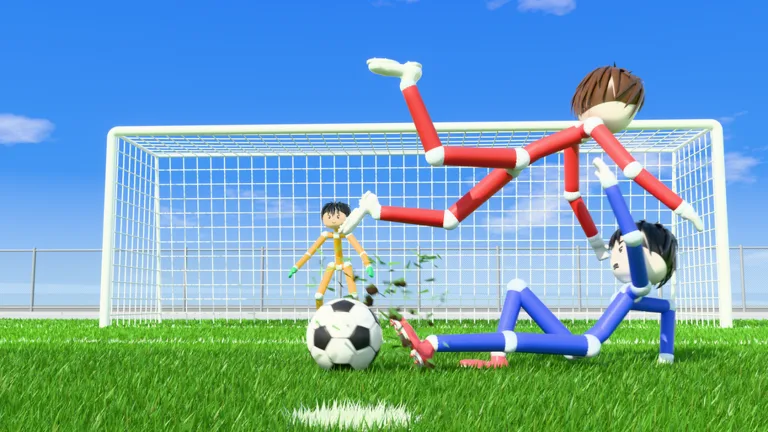
What Is the 8v8 Pro Mode?
Ragdoll Soccer 8v8 pro adds referees, penalties, free kicks, throw-ins, VAR, and offsides to the game's physics-based soccer. Those rules give you more to consider than lining up your next shot. Learn the shooting controls in Practice, then head into a pro server ready to watch your positioning and handle match stoppages.
Ragdoll Athletics offers several ways to play, with different team sizes and options for grouping with friends:
| Mode | Format | Features |
|---|---|---|
| Quickplay | 4v4 | Smaller-team matches |
| Pro servers | 8v8 | Referees, penalties, free kicks, throw-ins, VAR, and offsides |
| Clubs | 4v4 | Queue together with friends |
| Practice | Training | Lessons, shooting drills, free play, and goalkeeper practice |
Choose pro servers from the Play options when you want the larger match format. For a smaller match with friends, use Clubs and its 4v4 queue.
Playing Around the Pro Match Rules
The pro mode's rules make positioning and controlled shooting worth practicing before you join. Keep offsides in mind when moving forward, and pay attention to the referee when play stops.
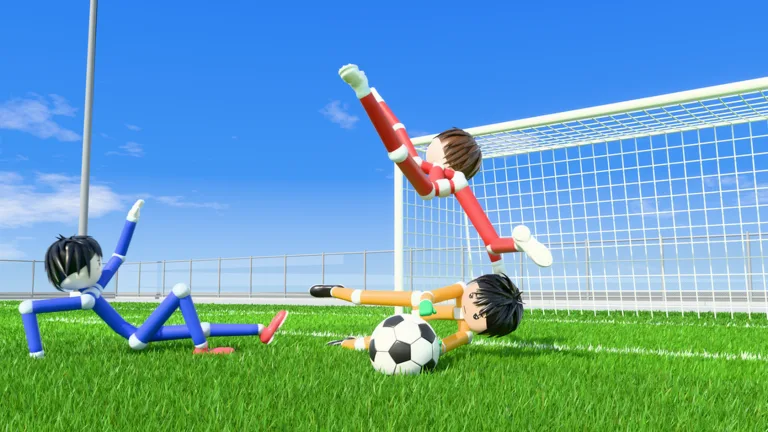 Image: Roblox / Ragdoll Athletics
The features to recognize are:
- Referees: Watch for decisions during the match.
- Penalties and free kicks: Practice placing shots so you have more control when taking a set piece.
- Throw-ins: Stay aware of the touchline and be ready for play to restart.
- Offsides: Check your forward positioning before committing to an attacking run.
- VAR: The pro ruleset includes video review alongside the referee system.
Build accuracy before chasing spectacular finishes. Use low shots, controlled lobs, and curved attempts in Practice so you can choose a shot deliberately during a match.
The game is still in early development, so expect continued improvements to the experience.
Practice the Shooting Controls Before You Queue
Open Practice and start with the movement and shooting lessons. Shots travel toward where you look: aiming down keeps the ball low, while looking upward adds height. Adjust your aim gradually instead of changing both direction and power after every miss.
The demonstrated PC shooting controls include:
| Action | Control or technique |
|---|---|
| Shoot | Left mouse button |
| Charge a kick | Hold the left mouse button before releasing |
| Keep a shot low | Look down |
| Add height | Look upward |
| Curve a shot | Use Q or E during the curve-shot exercise |
| Select the lob | Press 2 |
| Attempt a soft chip | Select the lob, then tap the left mouse button |
Work through the lessons in their existing order. The power-shot exercise combines sprinting toward the ball with a fully charged kick; practice that approach separately from your basic placement shots.
For curve shots, try Q and E in the lesson and watch how each changes the ball's path. Repeat the attempt with a similar starting position so you can judge the bend.
For lobs, select the shot with 2 and tap softly. Use the goalkeeper exercise to practice lifting the ball over the keeper without sending it too far. If your attempts keep sailing high, reduce the force before adding more height.
Practice also includes free play and goalkeeper training. Switch to those when you want to work on individual actions outside a full match.
How Private 8v8 Servers Work
The Private 8v8 Servers pass costs 49 Robux and lets you open a private pro server repeatedly. Friends can find your server in the 8v8 server browser, join you, and invite additional players once inside.
Use this option to organize an 8v8 session with friends. Keep the format distinction in mind: Clubs queues your group for 4v4, while this pass opens a private 8v8 Pro server.
To get started:
- Open Ragdoll Soccer on Roblox.
- Purchase the Private 8v8 Servers pass if you want to host.
- Open your private pro server.
- Have friends find it through the 8v8 server browser.
- Invite more players from inside the server.
Continue with
 Ragdoll Soccer Clubs: How to Create and Join a TeamLearn how Ragdoll Soccer clubs work, create a team, invite friends, and join 4v4 matches. Get practical tips for switching clubs and preparing your squad.
More in Features
Ragdoll Soccer 4v4 Quickplay: How to Play and Score
Jump into Ragdoll Soccer 4v4 quickplay with tips on joining matches, aiming shots, practicing curves and lobs, and queuing with friends through Clubs mode.
Ragdoll Soccer Game Passes: Prices and Bundle Guide
Compare Ragdoll Soccer game passes, from the 19 Robux Starter Pack to cosmetic bundles and private 8v8 servers, and learn what each purchase includes.
Ragdoll Soccer Practice Mode: Shooting and Skill Guide
Learn Ragdoll Soccer practice mode with lessons on aiming, charged shots, curves, and lobs. Build control before taking your skills into online matches.
Continue exploring
Ragdoll Soccer Beginner Guide: Controls and Scoring
Use this Ragdoll Soccer beginner guide to learn controls, practice low shots and curves, choose a match mode, and redeem WELCOME for 250 coins in Roblox.
Ragdoll Soccer Free Kicks: Controls and Practice Tips
Learn Ragdoll Soccer free kicks with shooting controls, camera aiming, curve shots, and practice drills to prepare for chances in the game's pro servers.
Join the community
Official channels for news, updates and player help: