
Ragdoll Soccer 4v4 Quickplay: How to Play and Score
Jump into Ragdoll Soccer 4v4 quickplay with tips on joining matches, aiming shots, practicing curves and lobs, and queuing with friends through Clubs mode.
Jump to
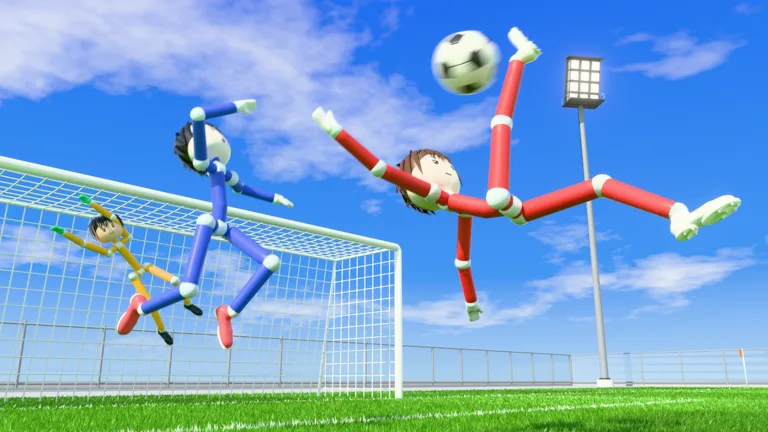
How to Join a 4v4 Quickplay Match
Ragdoll Soccer 4v4 quickplay puts you into physics-driven soccer. Open Play, then select Quick Play to join the action. Learn how aiming affects your shots before attempting elaborate finishes, and you’ll have something practical to work on during each match.
You can launch the Ragdoll Soccer Roblox experience and choose between several ways to play:
| Mode | Match format | Features |
|---|---|---|
| Quickplay | 4v4 | Physics-based soccer matches |
| Clubs | 4v4 | Queue with your friends |
| Pro servers | 8v8 | Referees, penalties, free kicks, throw-ins, VAR, and offsides |
For a match with friends, use Clubs. If you want to work through individual mechanics before playing online, head to Practice mode.
Control Shot Height Before Adding Power
Your shots travel where you look. Looking down keeps the ball low, while looking up lifts it. That makes your aim part of the shot itself: changing your viewing angle changes the ball’s trajectory.
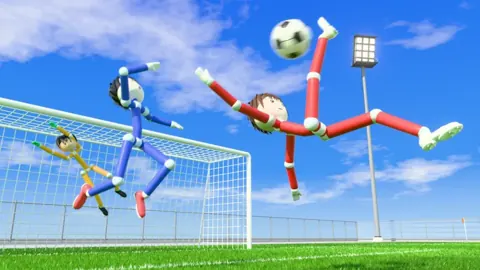
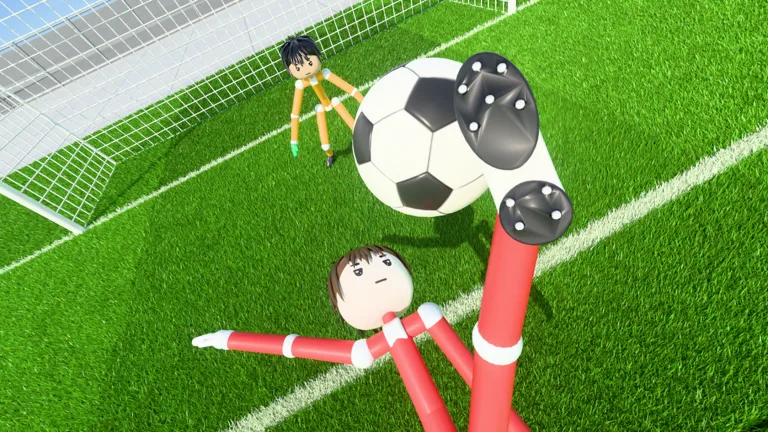 Image: Roblox / Ragdoll Athletics
Use the left mouse button to shoot. In Practice, work through these actions separately:
- Low shots: Look down and shoot to keep the ball close to the ground.
- Lifted shots: Raise your aim gradually to send the ball higher.
- Charged kicks: Practice charging a kick while keeping your aim consistent.
- Power shots: Follow the lesson’s sprint toward the ball and full-charge instructions.
Change one thing at a time. Keep your aim steady while practicing power, then keep your charging approach consistent while adjusting height. This gives you a clearer way to correct a shot that flies too high or stays too low.
Avoid making every attempt a full-power strike. Practice softer contact alongside charged kicks so you can work on placement as well as force.
Practice Curves, Chips, and Goalkeeping
The Practice station includes movement and sprinting lessons, shooting basics, power shots, curve shots, and lob training. Start with movement and basic shooting, then move into the more specialized finishes.
Bend the Ball With Q or E
Curve-shot training uses Q or E alongside a charged left-mouse-button shot. Practice each input separately and watch how the ball bends toward the goal.
Repeat the same attempt while adjusting the curve. Keep the target consistent so you can focus on how much bend you need.
Use a Soft Lob Against a Goalkeeper
Select the lob with 2, then tap the left mouse button softly to chip the ball. Practice lifting it over the goalkeeper without sending it beyond the goal.
Keep the touch gentle while learning this shot. Adding too much power can turn an attempted chip into an overshot finish.
Practice also includes free play and goalkeeper training. Use free play to repeat the shots you’re learning, and try goalkeeper practice to work on the other side of a scoring attempt.
Queue With Friends Through Clubs
Clubs mode lets you queue for 4v4 matches with friends. You can create a club, choose its color, and invite other players, or join an existing club through the club section.
Leave your current club before trying to join another. Creating your own club puts you in one already, so that step matters if you decide to switch.
For a group session, create the club and send your invitations before queuing together. Keep Practice mode in mind between matches when there’s a particular shot you want to repeat.
Continue with
 Ragdoll Soccer 8v8 Pro: Rules, Servers, and Shot TipsExplore Ragdoll Soccer 8v8 pro servers, learn the match rules, practice shooting controls, and see how private matches work before stepping onto the field.
More in Features
Ragdoll Soccer Clubs: How to Create and Join a Team
Learn how Ragdoll Soccer clubs work, create a team, invite friends, and join 4v4 matches. Get practical tips for switching clubs and preparing your squad.
Ragdoll Soccer Game Passes: Prices and Bundle Guide
Compare Ragdoll Soccer game passes, from the 19 Robux Starter Pack to cosmetic bundles and private 8v8 servers, and learn what each purchase includes.
Ragdoll Soccer Practice Mode: Shooting and Skill Guide
Learn Ragdoll Soccer practice mode with lessons on aiming, charged shots, curves, and lobs. Build control before taking your skills into online matches.
Join the community
Official channels for news, updates and player help: