
Ragdoll Soccer Practice Mode: Shooting and Skill Guide
Learn Ragdoll Soccer practice mode with lessons on aiming, charged shots, curves, and lobs. Build control before taking your skills into online matches.
Jump to
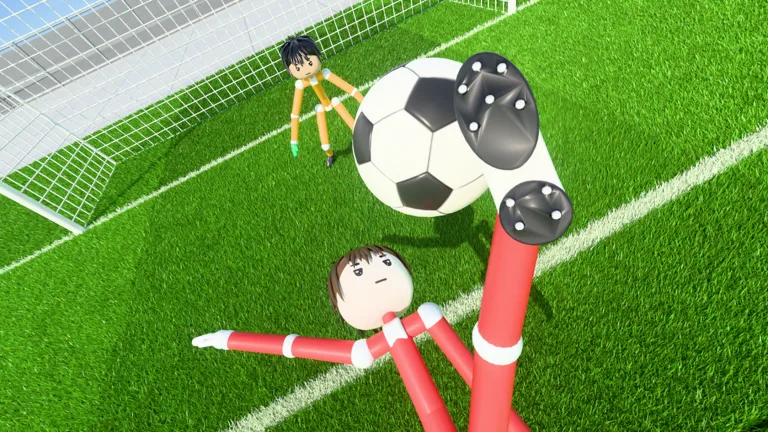
How to Enter Practice Mode
Sending every shot over the goal? Ragdoll Soccer practice mode lets you work through movement and shooting lessons before taking those mechanics into a match. Start at the practice station to learn how your aim, kick charge, and shot selection affect the ball.
Open Ragdoll Soccer on Roblox, then head to the practice station. Choose a lesson and select Start Lesson. The lessons cover moving and sprinting, shooting basics, power shots, curve shots, and lobs.
The practice options also include basic shooting drills, free play, and goalkeeper practice. Start with the guided lessons so you can learn each input before experimenting freely.
For online play afterward, the game offers:
- 4v4 quickplay matches.
- Clubs mode for queuing into 4v4 matches with friends.
- 8v8 pro servers with referees, penalties, free kicks, throw-ins, VAR, and offsides.
Learn Shot Height Before Adding Power
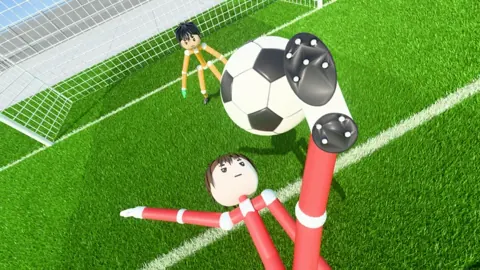
The shooting basics lesson teaches the mechanic that matters immediately: shots follow where you look. Look down to keep the ball low, or look up to lift it.
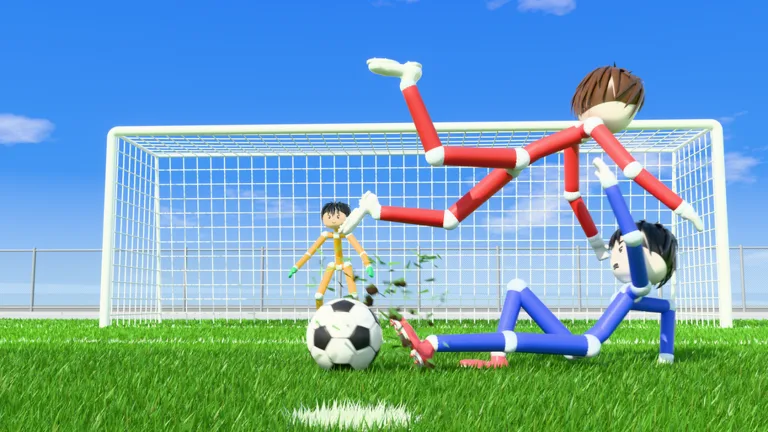 Image: Roblox / Ragdoll Athletics
That makes aim height part of every attempt. If the ball keeps sailing over the crossbar, lower your view before trying again. If you need more lift, raise it gradually rather than making a large adjustment.
These keyboard and mouse controls are useful during training:
| Action | Input |
|---|---|
| Shoot or charge a kick | Left mouse button |
| Sprint | Shift |
| Apply curve | Q or E |
| Select the lob | 2 |
Practice low shots and lifted shots separately. Keep your shooting position similar between attempts, then adjust your view to learn how much height each change produces.
Avoid changing aim and charge together while learning. Adjust one, watch the result, and use the next attempt to correct it.
Practice Charged Shots and Sprinting Approaches
The power-shot lesson calls for a fully charged shot and a sprint toward the ball. Work on the approach as well as the kick: reaching the ball and completing the shot are parts of the same attempt.
Follow the lesson prompts in order:
- Prepare the charged kick.
- Sprint toward the ball when prompted.
- Complete the shot while keeping your aim on the target.
- Repeat until you can reproduce the attempt.
Keep checking shot height during this drill. If a powerful attempt goes too high, lower your aim before adding another change.
Once you can repeat the movement, carry that sequence into free play. Practice approaching the ball and shooting without relying on the lesson prompts.
Work on Curves and Soft Lobs
Curve shots use Q or E alongside shooting. Complete the curve lesson to practice bending the ball toward the far corner.
Work with one curve input at a time. Repeat an attempt with Q, then try E and compare the resulting paths. Keep your starting position and aim similar so the difference is easier to follow.
For a chip, select the lob with 2, then tap the left mouse button softly. The lob lesson includes a goalkeeper, giving you a chance to practice lifting the ball past a keeper.
Use a light touch during this drill. If the chip travels too far, reduce the kick strength on the next attempt. Practice the shot’s height and distance together before trying it against an online goalkeeper.
Use Free Play to Target Your Misses
Move into free play after working through the shooting lessons. Pick one mechanic to repeat—low shots, charged attempts, curves, or chips—rather than switching after every miss.
Use your next match to identify what needs more work. If your shots consistently fly high, return to aiming practice. If chipped attempts travel too far, revisit soft lobs. Choose goalkeeper practice when you want to spend training time in goal.
Continue with
 Ragdoll Soccer 4v4 Quickplay: How to Play and ScoreJump into Ragdoll Soccer 4v4 quickplay with tips on joining matches, aiming shots, practicing curves and lobs, and queuing with friends through Clubs mode.
More in Features
Ragdoll Soccer 8v8 Pro: Rules, Servers, and Shot Tips
Explore Ragdoll Soccer 8v8 pro servers, learn the match rules, practice shooting controls, and see how private matches work before stepping onto the field.
Ragdoll Soccer Clubs: How to Create and Join a Team
Learn how Ragdoll Soccer clubs work, create a team, invite friends, and join 4v4 matches. Get practical tips for switching clubs and preparing your squad.
Ragdoll Soccer Game Passes: Prices and Bundle Guide
Compare Ragdoll Soccer game passes, from the 19 Robux Starter Pack to cosmetic bundles and private 8v8 servers, and learn what each purchase includes.
Join the community
Official channels for news, updates and player help: