
Ragdoll Soccer Rules Guide: Modes and Shooting Tips
Learn match formats, pro server rules, and shooting controls with this Ragdoll Soccer rules guide. Practice low shots, curves, and lobs before you queue.
Jump to
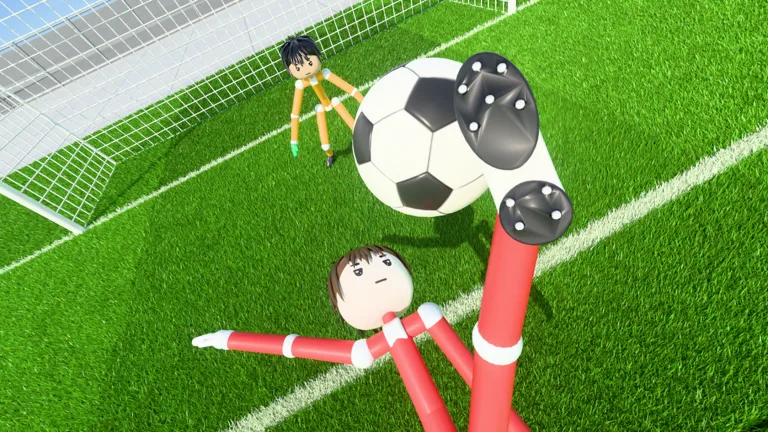
How Match Formats and Rules Work
Your shooting matters, but so does the match you enter. This Ragdoll Soccer rules guide explains the differences between quickplay, pro servers, and Clubs, plus the controls behind low shots, curves, and lobs. Learn the format before you queue, then use Practice mode to work on your aim.
Ragdoll Soccer is a physics-based soccer game on Roblox, with separate options for quick matches, organized team play, and matches with referees.
| Mode | Match Format | Features |
|---|---|---|
| Quickplay | 4v4 | Queue for a quick match |
| Pro servers | 8v8 | Referees, penalties, free kicks, throw-ins, VAR, and offsides |
| Clubs | 4v4 | Queue together with friends through a club |
Pro servers bring the expanded soccer rules into play. Alongside scoring goals, you'll encounter officiating, set pieces, and offside calls. Pay attention to those decisions instead of focusing entirely on chasing the ball.
Choose quickplay for a 4v4 match, or enter pro servers for the 8v8 format with referees and the additional rules. Clubs also uses 4v4, with a way to queue together.
Official page: Ragdoll Soccer (roblox.com)
How to Aim and Shoot
The left mouse button controls shooting, and shots travel where you look. Your aim affects the ball's height: looking down keeps the shot low, while looking up lifts it.
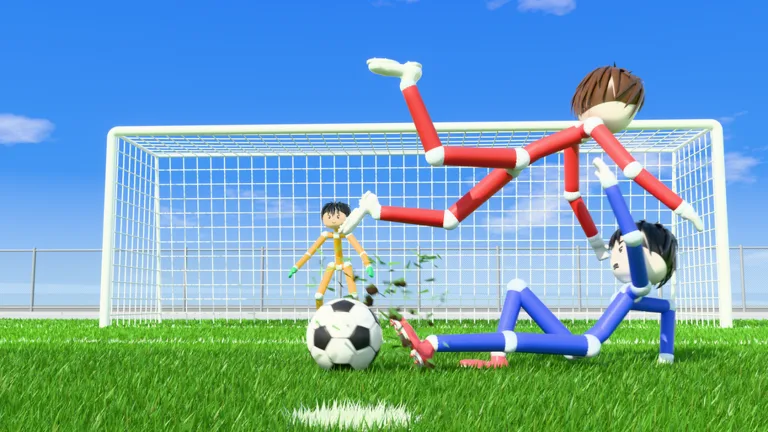 Image: Roblox / Ragdoll Athletics
Start with the Shooting Basics lesson in Practice mode:
- Use the left mouse button to shoot.
- Aim downward to practice keeping the ball low.
- Raise your aim to practice lifting the ball.
- Work on charging a kick before moving to the power-shot lesson.
Adjust your aim in small steps. If a shot flies too high, lower your view on the next attempt. If you're trying to lift the ball and it stays too low, raise your view slightly.
Practice height and power separately. Repeat a shot with similar aim while adjusting its charge, then work on changing the height. That gives you a clearer way to troubleshoot a missed attempt.
Power Shots
The power-shot lesson combines sprinting toward the ball with a fully charged shot.
Practice that sequence together: approach at a sprint, charge the kick fully, and shoot toward your target. Repeat the drill until you can line up the approach without losing track of your aim.
Curve Shots
Curve shots use Q or E to bend the ball, alongside the left mouse button for shooting and charging.
Try each curve control in the lesson. Aim toward the target corner and adjust the bend between attempts. Work on one direction at a time so you can see how that input changes the ball's path.
Lobs
Press 2 to select the lob, then tap the left mouse button softly to chip the ball.
Practice this against the goalkeeper in the lesson. Keep the touch gentle: the drill calls for a soft chip, and too much power can send the attempt beyond your intended target.
Practice Lessons and Joining Clubs
Practice mode includes moving and sprinting lessons, shooting drills, free play, and goalkeeper practice. Use the movement lesson to work on your approach to the ball, then move through the shooting lessons to learn each type of kick.
For a targeted session, pick the skill behind your missed chances:
- Return to shooting basics when you struggle with shot height.
- Repeat the power-shot lesson to work on sprinting into a charged kick.
- Use the curve lesson to practice bending shots toward a corner.
- Try goalkeeper practice to spend time in goal.
To play with friends, create a club and invite them, then queue for 4v4 club matches. You can also join an existing club. If you've already created your own club and want to join another, leave yours first, then use the join option in the club section.
Continue with
 Ragdoll Soccer Throw Ins: Which Mode Has These Rules?Ragdoll Soccer throw ins are part of 8v8 pro servers. Learn which mode to join, what rules come with it, and how to set up a private match with friends.
More in Rules
Ragdoll Soccer Free Kicks: Controls and Practice Tips
Learn Ragdoll Soccer free kicks with shooting controls, camera aiming, curve shots, and practice drills to prepare for chances in the game's pro servers.
Ragdoll Soccer Offsides: Which Modes Include the Rule?
Ragdoll Soccer offsides feature in 8v8 pro servers. Explore match formats, other pro rules, and how to open a private server to play with your friends.
Ragdoll Soccer Penalties: Pro Rules and Shooting Tips
Ragdoll Soccer penalties are part of 8v8 pro servers. Learn where to play, what rules to expect, and which shooting skills to practice before your match.
Ragdoll Soccer Referees: How to Play on Pro Servers
Ragdoll Soccer referees feature in 8v8 pro servers with penalties, free kicks, throw-ins, VAR, and offsides. Learn which mode to join and how to prepare.
Join the community
Official channels for news, updates and player help: