
Ragdoll Soccer Free Kicks: Controls and Practice Tips
Learn Ragdoll Soccer free kicks with shooting controls, camera aiming, curve shots, and practice drills to prepare for chances in the game's pro servers.
Jump to
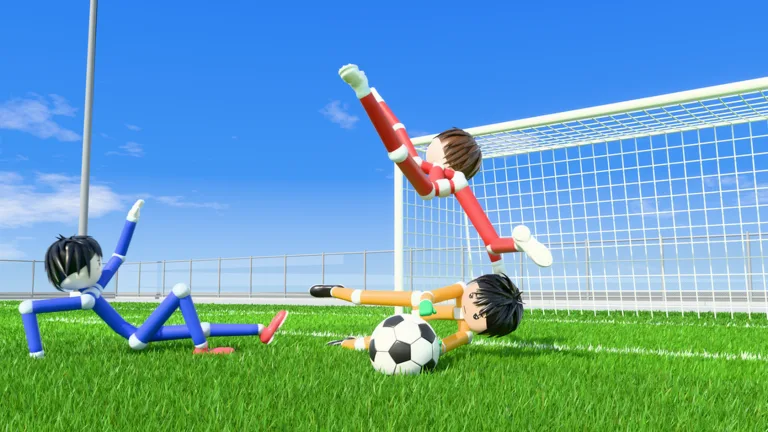
Which Mode Has Free Kicks?
Ragdoll Soccer free kicks are part of the game's 8v8 pro servers. These matches include referees, penalties, throw-ins, VAR, and offsides, giving you more rules to work around during play. Prepare in Practice mode so you can focus on your aim when a shooting opportunity arrives.
The other match options include 4v4 quickplay and Clubs mode, which lets friends queue together for 4v4 matches. Choose pro servers when you want to play with free kicks and the broader set of match rules.
The Private 8v8 Servers game pass costs 49 Robux and lets you open your own private Pro server repeatedly. Friends can find it in the 8v8 server browser and join you, and anyone inside can invite additional players. Use that option if you want to organize a Pro match with friends.
Clubs have a separate team setup: you can create a club, choose its color, and invite people. To join another club after creating your own, leave your existing club first, then use the join option in the club section.
Official page: Ragdoll Soccer (roblox.com)
Learn the Shooting Controls Before Taking Set Pieces
On PC, the left mouse button handles shooting. Your shot travels where you look, so camera aim matters alongside kick power.
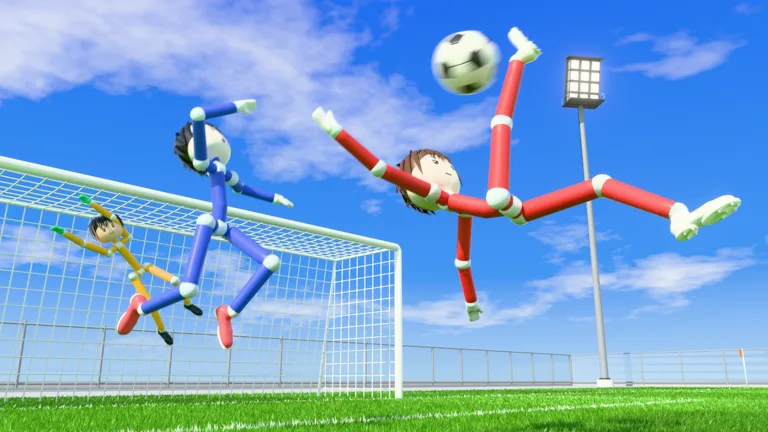 Image: Roblox / Ragdoll Athletics
Work on these controls in the shooting lessons:
- Low shots: Look down to keep the ball low.
- Lifted shots: Look up to give the ball height.
- Charged kicks: Practice charging your shot to get comfortable with its power.
- Curve shots: Use Q or E for curve while working through the curve-shot lesson.
Adjust height and power separately during practice. If a shot flies over the goal, lower your aim before changing everything else. If it stays too low, raise your aim in small steps.
Avoid making full charge your default for every attempt. Learn how your aim and charge work together before adding curve; a powerful shot still needs a controlled trajectory.
The shooting lessons also introduce a lob. Press 2 to select it, then tap the left mouse button softly to chip the ball toward goal. Practice that softer input separately from your charged kicks. The lob exercise includes a goalkeeper, giving you a chance to work on lifting the ball while someone can stop the attempt.
Practice Straight Shots, Then Add Curve
Head to the practice station and begin with Shooting Basics. The lessons cover low shots, lifted shots, and charging a kick, making them useful preparation for shooting from a stationary setup.
Use this sequence to build control:
- Repeat a low shot. Keep your camera angle similar between attempts and watch where the ball travels.
- Add height gradually. Raise your view a little at a time instead of jumping straight to a steep angle.
- Practice charged kicks. Keep your aim steady while learning how charging changes the shot.
- Move to the curve-shot lesson. Try Q and E separately to learn each input's effect.
- Continue in free play. Rehearse the aiming and shooting combinations you can repeat reliably.
The curve lesson involves bending the ball toward a corner. Start by keeping your camera aim consistent, then experiment with the curve input. Changing aim, charge, and bend together makes it harder to identify why an attempt missed.
The Power Shots lesson adds a different exercise: sprint toward the ball and shoot with a full charge. Work through that drill separately from the softer lob exercise so you practice both inputs. Follow its sprinting requirement instead of repeating the stationary setup you used for basic aiming.
The practice station also offers moving and sprinting lessons, basic shooting drills, and free play. Start with movement if approaching the ball is giving you more trouble than aiming the kick itself.
Practice mode also includes goalkeeper training. Spend time on that side of the ball to work on saves alongside your shooting drills.
Continue with
 Ragdoll Soccer Offsides: Which Modes Include the Rule?Ragdoll Soccer offsides feature in 8v8 pro servers. Explore match formats, other pro rules, and how to open a private server to play with your friends.
More in Rules
Ragdoll Soccer Penalties: Pro Rules and Shooting Tips
Ragdoll Soccer penalties are part of 8v8 pro servers. Learn where to play, what rules to expect, and which shooting skills to practice before your match.
Ragdoll Soccer Referees: How to Play on Pro Servers
Ragdoll Soccer referees feature in 8v8 pro servers with penalties, free kicks, throw-ins, VAR, and offsides. Learn which mode to join and how to prepare.
Ragdoll Soccer Rules Guide: Modes and Shooting Tips
Learn match formats, pro server rules, and shooting controls with this Ragdoll Soccer rules guide. Practice low shots, curves, and lobs before you queue.
Ragdoll Soccer Throw Ins: Which Mode Has These Rules?
Ragdoll Soccer throw ins are part of 8v8 pro servers. Learn which mode to join, what rules come with it, and how to set up a private match with friends.
Join the community
Official channels for news, updates and player help: