
Ragdoll Soccer Lobby: Modes, Clubs, and Practice Guide
Use the Ragdoll Soccer lobby to join quickplay, enter pro servers, create a club, practice shots, redeem WELCOME, and customize your player before kickoff.
Jump to

What Can You Do in the Lobby?
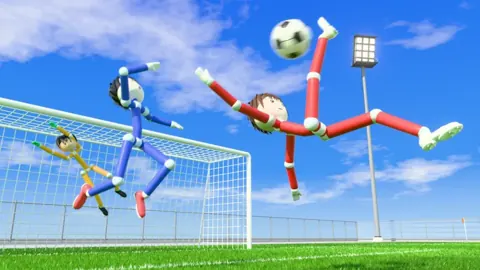
The Ragdoll Soccer lobby is your starting point for matches, clubs, practice, and player customization. Open Play to choose a match type, or head to the practice station to learn the controls. Practice aiming and charging your kicks there before trying them with defenders closing in.
You can also redeem codes, browse cosmetic packs, and organize games with friends. Start by opening Ragdoll Soccer on Roblox, then choose the activity you want.
Choose Quickplay or Pro Servers
Open the Play menu to find your match options. The game offers different team sizes and rules:
 Image: Roblox / Ragdoll Athletics
- Quickplay: 4v4 matches.
- Pro servers: 8v8 matches with referees, penalties, free kicks, throw-ins, VAR, and offsides.
- Clubs: Queue for 4v4 matches with friends.
Choose quickplay when you want to jump into a 4v4 game. Select pro servers when you want the larger format and its additional soccer rules.
In pro matches, account for offsides when making forward runs and throw-ins when playing near the touchline. Practice controlling shot height before relying on a powerful finish: aiming too high can send the ball over the goal.
Use the Practice Station to Learn Shooting
The practice station includes lessons for movement and sprinting, basic shooting, power shots, curve shots, and lobs. It also offers free play and goalkeeper practice.
Start with movement and shooting basics, then work through the different shot types. These PC controls give you specific mechanics to practice:
| Action | PC control |
|---|---|
| Sprint | Shift |
| Shoot or charge a kick | Left mouse button |
| Apply curve | Q or E |
| Select the lob | 2 |
Your shots follow where you look. Look down to keep the ball low, and raise your aim to lift it. Adjust your camera angle between attempts so you can see how much elevation each change adds.
For power shots, follow the lesson’s sprinting and full-charge prompts. For curve shots, practice bending the ball toward a corner with Q or E. Select the lob with 2 and use a soft tap to practice chipping the ball over the goalkeeper.
Use free play to repeat a particular shot after completing its lesson. Keep the aim similar while changing the charge, then keep the charge similar while adjusting your aim.
Create a Club or Join One
Open the club section to create a club, choose its name and color, and invite players. Clubs let you queue together for 4v4 matches.
You can also join an existing club through that section. Leave your current club before joining another: creating your own club puts you in one, so you need to leave it before switching.
Private 8v8 Games
The Private 8v8 Servers game pass costs 49 Robux and lets you open a private pro server repeatedly. Friends can find it in the 8v8 server browser, and players inside can invite more people.
Use Clubs for a group queue into 4v4 matches. Choose a private server when you want to organize an 8v8 pro game.
Redeem WELCOME and Browse Cosmetic Packs
The code WELCOME awards 250 Coins. Enter it exactly in uppercase:
- Click SHOP on the left.
- Select CODES.
- Type WELCOME into the ENTER CODE box.
- Click REDEEM.
Coins can be spent on accessory, hair, mood, and face packs. Browse those categories to choose which part of your player’s appearance you want to change.
Return to the Lobby From a Match
Select Return to lobby during a match, then confirm that you want to leave.
Use this option when you want to switch activities, return to training, or choose another server. If lifting the ball or controlling passes is giving you trouble, return to the practice station and repeat the relevant shooting lesson before joining another match.
Continue with
 Ragdoll Soccer Practice Mode: Shooting and Skill GuideLearn Ragdoll Soccer practice mode with lessons on aiming, charged shots, curves, and lobs. Build control before taking your skills into online matches.
More in Features
Ragdoll Soccer 4v4 Quickplay: How to Play and Score
Jump into Ragdoll Soccer 4v4 quickplay with tips on joining matches, aiming shots, practicing curves and lobs, and queuing with friends through Clubs mode.

Ragdoll Soccer 8v8 Pro: Rules, Servers, and Shot Tips
Explore Ragdoll Soccer 8v8 pro servers, learn the match rules, practice shooting controls, and see how private matches work before stepping onto the field.
Ragdoll Soccer Clubs: How to Create and Join a Team
Learn how Ragdoll Soccer clubs work, create a team, invite friends, and join 4v4 matches. Get practical tips for switching clubs and preparing your squad.

Ragdoll Soccer Coins: Free Rewards and Spending Guide
Get Ragdoll Soccer coins with the WELCOME code, open your daily pack, and explore cosmetic packs. See what the Starter Pack includes before spending Robux.
Continue exploring
Join the community
Official channels for news, updates and player help: