
Ragdoll Soccer FAQ: Controls, Codes, and Match Modes
Ragdoll Soccer FAQ explains shooting controls, curve shots, clubs, match modes, and the WELCOME code. Learn the basics before your next match on Roblox.
Jump to
How Do You Play Ragdoll Soccer?
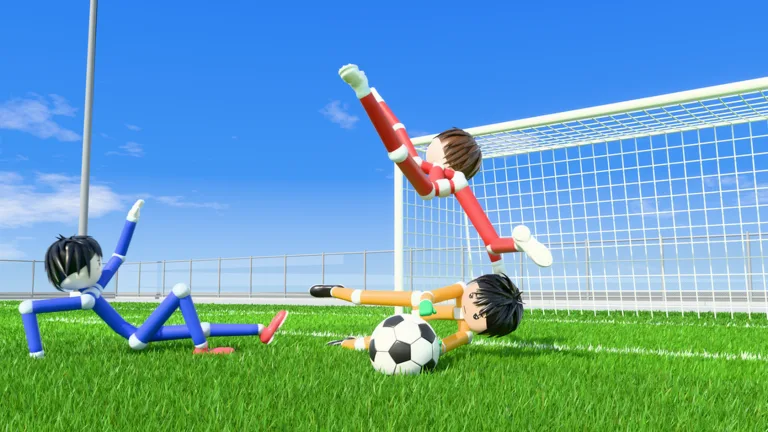
Your camera aim can turn a kick into a low strike or a lifted shot. This Ragdoll Soccer FAQ covers shooting, match modes, clubs, and codes so you can get comfortable before joining a match. Start in Practice, learn how aim and charge affect the ball, then take those skills into Quickplay.
Ragdoll Soccer is a Roblox soccer game built around physics and ragdoll movement. Practice includes lessons for moving and sprinting, basic shooting, power shots, curves, and lobs, plus free play and goalkeeper practice.
Work through the shooting lessons before experimenting in free play. Change your aim and charge separately so you can learn how each affects the result.
What Are the Shooting Controls on PC?
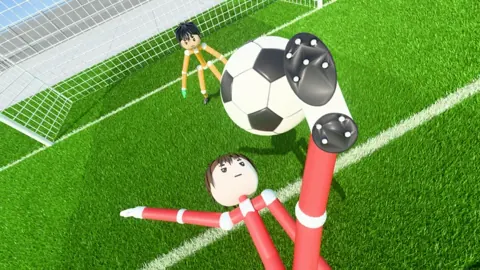
The left mouse button handles shooting, while your aim determines the shot’s direction and height.
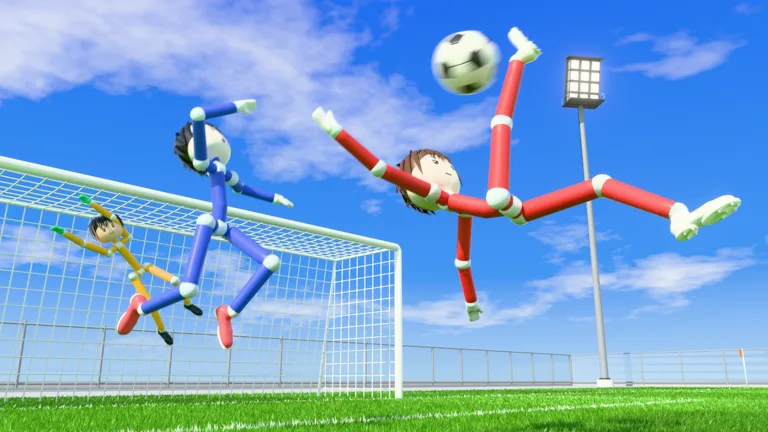 Image: Roblox / Ragdoll Athletics
| Action | PC control |
|---|---|
| Shoot | Left mouse button |
| Keep a shot low | Look down when shooting |
| Lift a shot | Aim higher when shooting |
| Curve a shot | Q or E |
| Select the lob | 2, then use the left mouse button to shoot |
How do you stop shooting over the goal?
Lower your aim. Looking upward lifts the ball, so aiming too high can send it over the target.
Practice low shots before adding height. Raise your aim gradually, then adjust the charge once you can send the ball where you intend.
How do power shots work?
The power-shot lesson combines a fully charged kick with sprinting toward the ball. Practice that sequence in the lesson before using it during a match.
How do you curve or chip the ball?
Use Q or E to practice curved shots. Repeat the curve lesson with each control to learn the resulting bend.
For a chip, press 2 to select the lob, then tap the left mouse button softly. Practice controlling the height before trying to lift the ball over a goalkeeper; too much power can carry the attempt beyond your target.
What Is the Difference Between Quickplay, Pro Servers, and Clubs?
Choose your mode around the match format you want:
- Quickplay: 4v4 soccer matches.
- Pro servers: 8v8 matches featuring referees, penalties, free kicks, throw-ins, VAR, and offsides.
- Clubs: Queue for 4v4 matches with friends.
- Practice: Work through lessons, use free play, or practice goalkeeping.
Start with the lessons if shooting still feels unpredictable. Choose Pro servers when you want to play with the additional match rules.
To organize a club, open the club section, create your club, choose its color, and invite friends. You can also join an existing club. If you already created one, leave it before joining another.
What Is the WELCOME Code, and How Do You Redeem It?
Enter WELCOME to claim 250 Coins. Type it exactly as shown.
- Open Ragdoll Soccer on Roblox.
- Click SHOP on the left.
- Select CODES.
- Enter WELCOME in the ENTER CODE box.
- Click REDEEM.
If redemption fails, check the capitalization and remove extra spaces. Codes can expire, so check the game’s official description for the current code.
Coins can be spent on accessory, hair, mood, and face packs.
What Do the Paid Packs and Private Servers Include?
The paid options include cosmetic bundles, a starter purchase, and access to private Pro servers.
| Purchase | Price | Contents |
|---|---|---|
| Starter Pack | 19 Robux | One-time purchase: 500 coins where coin purchases are offered, Eye Black face, Shades, and Swagger emote |
| Legendary Bundle | 299 Robux | Three Legendary items: Cyborg face, Viking Helmet, and Sniper emote |
| Siuuu Bundle | 599 Robux | Mythic Siuuu celebration, Furious face, and Comb Over hairstyle |
| Leo Bundle | 599 Robux | Mythic Sky Point celebration, Overjoyed face, and Legendary Wonderkid hairstyle |
| Private 8v8 Servers | 49 Robux | Ability to open private 8v8 Pro servers repeatedly |
With Private 8v8 Servers, friends can find your server through the 8v8 server browser and join you. Players already inside can invite additional players, giving your group a way to bring more friends into the match.
Continue with
 Ragdoll Soccer Official Links: Play the Roblox GameFind Ragdoll Soccer official links, jump into the Roblox game, redeem WELCOME for 250 Coins, and explore quickplay, pro servers, clubs, and practice mode.
More in Guide
Ragdoll Soccer Ball Physics: Aim, Curve, and Score
Learn Ragdoll Soccer ball physics with useful tips for aiming, charged shots, curves, and lobs. Use Practice mode to build control before your next match.
Ragdoll Soccer Beginner Guide: Controls and Scoring
Use this Ragdoll Soccer beginner guide to learn controls, practice low shots and curves, choose a match mode, and redeem WELCOME for 250 coins in Roblox.
Ragdoll Soccer Development Status: What You Can Play
Ragdoll Soccer development status explained: explore its early development stage, match modes, practice tools, and what to expect before joining a match.
Ragdoll Soccer Play Online: Controls and Match Guide
Ragdoll Soccer play online guide: join Roblox matches, learn shooting controls, practice curve shots and lobs, and queue with friends in Clubs mode today.
Continue exploring
Join the community
Official channels for news, updates and player help: