
Ragdoll Soccer Play Online: Controls and Match Guide
Ragdoll Soccer play online guide: join Roblox matches, learn shooting controls, practice curve shots and lobs, and queue with friends in Clubs mode today.
Jump to
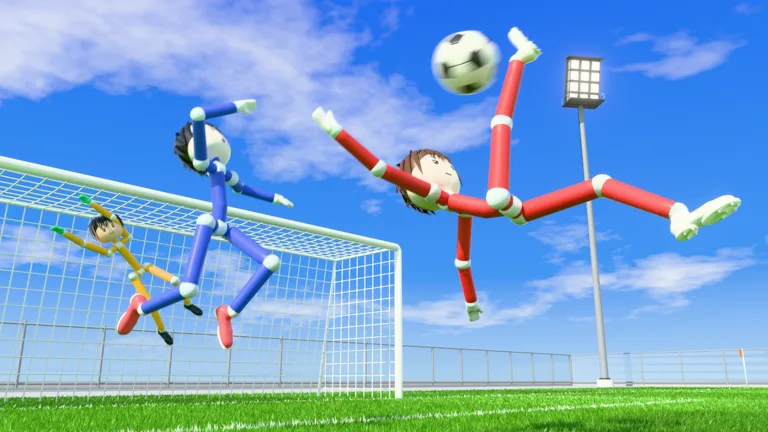
How to Play Ragdoll Soccer Online
Start your Ragdoll Soccer play online session on the official Ragdoll Soccer Roblox page. Choose between 4v4 Quickplay, 8v8 Pro servers, and Clubs for queuing into 4v4 matches with friends. Spend some time in Practice before your opening match, because camera angle and kick charge shape your shots.
Launch the experience, select Play, and choose the mode you want to enter:
- Quickplay: Join 4v4 soccer matches.
- Pro servers: Play 8v8 with referees, penalties, free kicks, throw-ins, VAR, and offsides.
- Clubs: Queue for 4v4 matches with your friends.
Start with Quickplay after practicing your basic kicks. Move into Pro servers when you want to play with the additional rules, and pay attention to positioning around offsides and restarts.
Learn the PC Controls in Practice
Practice includes lessons for moving and sprinting, basic shooting, power shots, curve shots, and lobs. Work through those lessons before trying to combine everything during a crowded match.
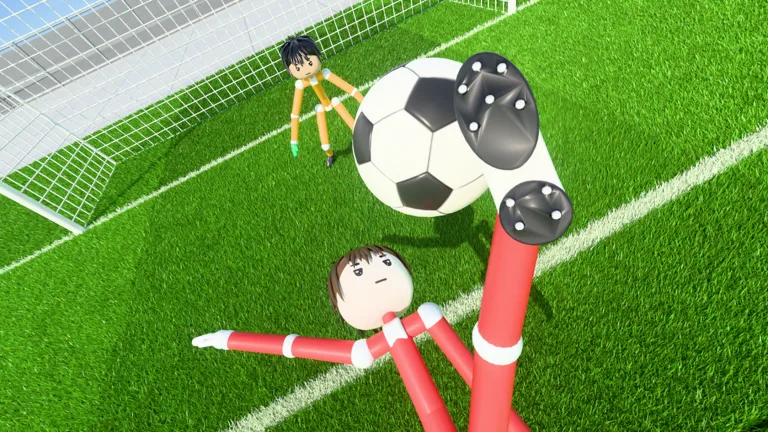 Image: Roblox / Ragdoll Athletics
These keyboard and mouse controls cover the actions you’ll use while learning:
| Action | PC control |
|---|---|
| Shoot or charge a kick | Left mouse button |
| Sprint | Shift |
| Slide tackle | X |
| Call for the ball | G |
| Apply curve | Q or E |
| Select the lob | 2 |
Shots travel where you look. Look down to keep the ball low, or raise your view to lift it. Small aiming changes matter, so adjust your camera gradually while repeating the same shot.
Use Free Play to repeat attempts outside the lesson sequence. Practice also includes goalkeeper training if you want to spend time defending the goal.
Control Shot Height, Power, and Curve
Keep low shots under control
Begin with the basic shooting lesson and aim low. Repeat the kick while changing your viewing angle slightly so you can learn how much elevation sends the ball upward.
If you keep shooting over the goal, lower your aim on the next attempt. Change your aim or charge separately while practicing so you can see how each adjustment affects the result.
Practice charged power shots
The power-shot lesson has you sprint toward the ball and shoot with a full charge. Rehearse that sequence until you can approach the ball and complete the kick consistently.
In matches, choose your charge around the space you have. Use softer kicks when you need a short touch, and practice fully charged attempts when you have room to prepare a stronger shot.
Add curve with Q or E
Use Q or E to bend your shot. The curve lesson gives you a chance to work on sending the ball toward a corner.
Practice each curve input separately. Keep your starting position and target similar between attempts, then adjust the bend until you can direct the ball toward the intended side of the goal.
Select the lob for a chip
Press 2 to select the lob, then tap the left mouse button softly. Practice chipping toward the goal before attempting it against a goalkeeper.
Keep the touch light while learning. If your attempt travels too far, reduce the power on the next kick.
Play With Friends Through Clubs
Open the Clubs section to create a club or join one. When creating a club, choose its name and color, then invite your friends so you can queue together for 4v4 matches.
Leave your current club before trying to join another. That applies if you created a club yourself and later decide to join someone else’s.
Once you’re playing together, use G to call for the ball when you have space to receive it. Practice short exchanges with your teammates so you can judge kick strength before attempting longer passes.
For a private Pro match, Private 8v8 Servers costs 49 Robux. The pass lets you open a private 8v8 Pro server repeatedly; friends can find it in the 8v8 server browser, and players inside can invite others.
Redeem WELCOME for Coins
Enter WELCOME to receive 250 Coins. Type the code exactly as shown.
To redeem it:
- Click SHOP on the left side of the screen.
- Select CODES.
- Enter WELCOME in the ENTER CODE box.
- Click REDEEM.
Coins can be used for accessory, hair, mood, and face packs. Browse those options in the lobby when you want to customize your player between matches.
Continue with
 Ragdoll Soccer Ball Physics: Aim, Curve, and ScoreLearn Ragdoll Soccer ball physics with useful tips for aiming, charged shots, curves, and lobs. Use Practice mode to build control before your next match.
More in Guide
Ragdoll Soccer Beginner Guide: Controls and Scoring
Use this Ragdoll Soccer beginner guide to learn controls, practice low shots and curves, choose a match mode, and redeem WELCOME for 250 coins in Roblox.
Ragdoll Soccer Development Status: What You Can Play
Ragdoll Soccer development status explained: explore its early development stage, match modes, practice tools, and what to expect before joining a match.
Ragdoll Soccer FAQ: Controls, Codes, and Match Modes
Ragdoll Soccer FAQ explains shooting controls, curve shots, clubs, match modes, and the WELCOME code. Learn the basics before your next match on Roblox.
Ragdoll Soccer Official Links: Play the Roblox Game
Find Ragdoll Soccer official links, jump into the Roblox game, redeem WELCOME for 250 Coins, and explore quickplay, pro servers, clubs, and practice mode.
Continue exploring
Join the community
Official channels for news, updates and player help: