
Ragdoll Soccer Tackling: Slide Controls and Defense
Learn Ragdoll Soccer tackling controls on PC, use X to slide, and practice timing and positioning before defending in quickplay or competitive matches.
Jump to
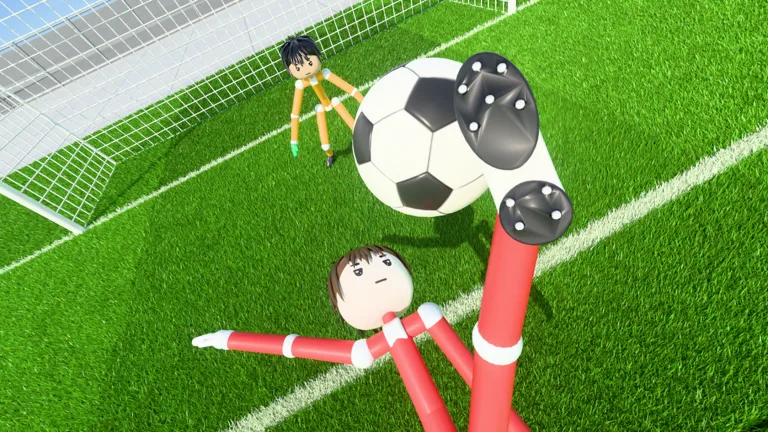
How to Tackle in Ragdoll Soccer on PC
Ragdoll Soccer tackling starts with X on PC: press it to perform a slide tackle. Use it to challenge an opponent for the ball, then follow up by recovering possession. Getting the ball back gives your team a chance to turn a defensive challenge into an attack.
Keep these controls in mind while defending:
- X: Tackle / slide tackle.
- Shift: Sprint.
Use sprint to close the distance, then line up your challenge with the ball. Avoid pressing X simply because an opponent is nearby; watch where the ball is moving before committing.
After the challenge, look for the loose ball. If you recover it, look for an open teammate before trying to carry it through another opponent.
Official page: Ragdoll Soccer (roblox.com)
Positioning and Timing Your Slide Tackle
Give yourself a clear reason to slide: challenge an exposed ball, contest a loose ball, or interrupt an opponent’s route toward goal. Keep your attention on the ball throughout the approach.
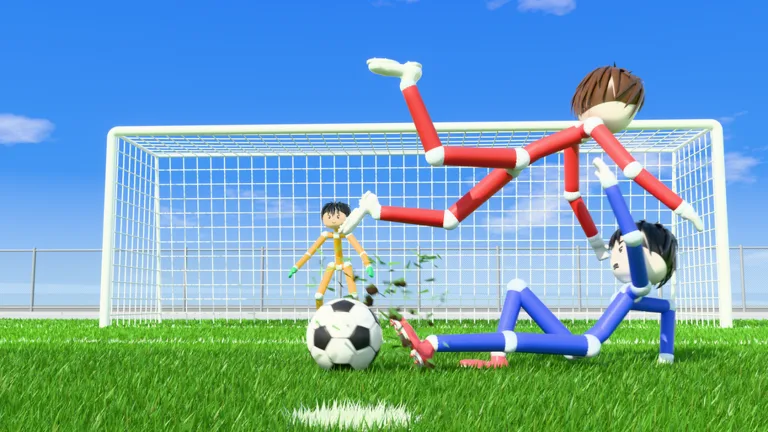 Image: Roblox / Ragdoll Athletics
Approach With the Goal Behind You
Stay between the attacker and your goal when possible. Move into their route before attempting the tackle, and avoid chasing every sideways movement away from the area you need to defend.
If a teammate is already challenging the ball carrier, cover a nearby passing option. Leave someone in position to contest the next ball rather than crowding the same challenge.
Choose Your Moment
Watch for a touch that puts the ball within reach, then press X. Resist the urge to tackle repeatedly whenever the attacker changes direction.
If your challenge misses, move back into a defensive position. Follow the next play instead of chasing the opponent’s previous location.
Play the Ball After Winning It
Recover possession before planning your shot. Look for a short pass if a teammate is open, especially when opponents are gathering around the ball.
Use G to call for the ball when a teammate makes the recovery and you have moved into space.
If the recovery gives you a shooting opportunity, use left mouse button to shoot. Shots follow where you look: looking down keeps the ball low, while looking up lifts it. Set your aim before taking the shot, especially after a scramble that has pulled your attention away from goal.
Practice Before Defending in Pro Matches
Use the available modes to work on movement and match decisions:
- Practice mode: Work through lessons, including moving and sprinting.
- 4v4 quickplay: Put your movement and tackling into match situations.
- 8v8 pro servers: Play with referees, penalties, free kicks, throw-ins, VAR, and offsides.
Start with the movement lessons so you can approach the ball deliberately. Then, in quickplay, focus on one defensive task at a time: closing the distance, choosing the slide, or recovering possession afterward.
Practice also includes shooting basics, power shots, curve shots, and lobs. Work through shooting basics to practice low and lifted attempts, then charging a kick. In the power-shot lesson, sprint toward the ball and shoot with a full charge. Use those drills to rehearse what happens after you recover possession near the opposing goal.
For curve-shot practice, use Q or E to bend the ball. For a lob, select 2, then tap left mouse button softly to chip it. Keep these exercises separate from your defensive practice so you can concentrate on the shot controls before combining a recovery with an attempt on goal.
Free play and goalkeeper practice are available alongside the lessons. Use free play to revisit movement and shooting, or switch to goalkeeper practice to work on that role. If you want to play with friends, Clubs mode lets you queue together for 4v4 matches. Create a club and invite them, or join a club when you are not already in one.
In Pro matches, keep the referee and penalty rules in mind when defending near your own goal. Stay in position and look for a clear opportunity to challenge the ball before committing to the slide.
Continue with
 Ragdoll Soccer Calling for the Ball: Controls & TipsLearn Ragdoll Soccer calling for the ball controls on PC, use G to request a pass, and time your runs to give teammates a clear option during the match.
More in Controls
Ragdoll Soccer Controls: Shooting, Curves, and Tackles
Learn Ragdoll Soccer controls for shooting, sprinting, curve shots, lobs, and tackles. Use Practice mode to improve your aim and kick power before a match.
Ragdoll Soccer Goalkeeping: Practice and Shot Reading
Improve Ragdoll Soccer goalkeeping with Practice mode, learn how low shots, curves, and lobs work, and prepare for quickplay and pro matches on Roblox.
Ragdoll Soccer Passing: Controls and Teamwork Tips
Improve Ragdoll Soccer passing with tips for low kicks, lob controls, calling for the ball, and quick team moves. Learn to set up cleaner scoring chances.
Ragdoll Soccer Shooting Guide: Aim, Power, and Curve
Master Ragdoll Soccer shooting with PC controls for aiming, charged kicks, curve shots, and lobs. Practice your timing and put more chances on target.
Continue exploring
Ragdoll Soccer Clubs: How to Create and Join a Team
Learn how Ragdoll Soccer clubs work, create a team, invite friends, and join 4v4 matches. Get practical tips for switching clubs and preparing your squad.
Ragdoll Soccer FAQ: Controls, Codes, and Match Modes
Ragdoll Soccer FAQ explains shooting controls, curve shots, clubs, match modes, and the WELCOME code. Learn the basics before your next match on Roblox.
Join the community
Official channels for news, updates and player help: